
Are you feeling overwhelmed by the sheer volume of customer messages flooding your phone every day? When you started your enterprise, answering every inquiry manually might have felt personal and manageable. However, as inquiries scale up, relying on a single smartphone to handle all communication quickly becomes a bottleneck that delays responses, frustrates customers, and burns out your team. The constant pinging creates chaos instead of connection. You might have heard about upgrading your messaging infrastructure, but the technical jargon can be incredibly confusing. What exactly is the difference between the standard app and the advanced API, and when is the right time to make the switch? Let's break down the facts in plain language so you can decide the best path forward for your operations.
What Is the WhatsApp Business API?
The WhatsApp Business API is a backend cloud connection. To automate high-volume messaging or integrate AI, you need the API instead of the standard app.
For most small business owners in Oman, "WhatsApp Business" means the free green app downloaded from the App Store. You verify your local Omantel or Ooredoo number, set up a simple catalog, create a basic away message, and physically type replies to your customers. It is designed specifically for micro-businesses where one or two people manage the phone.
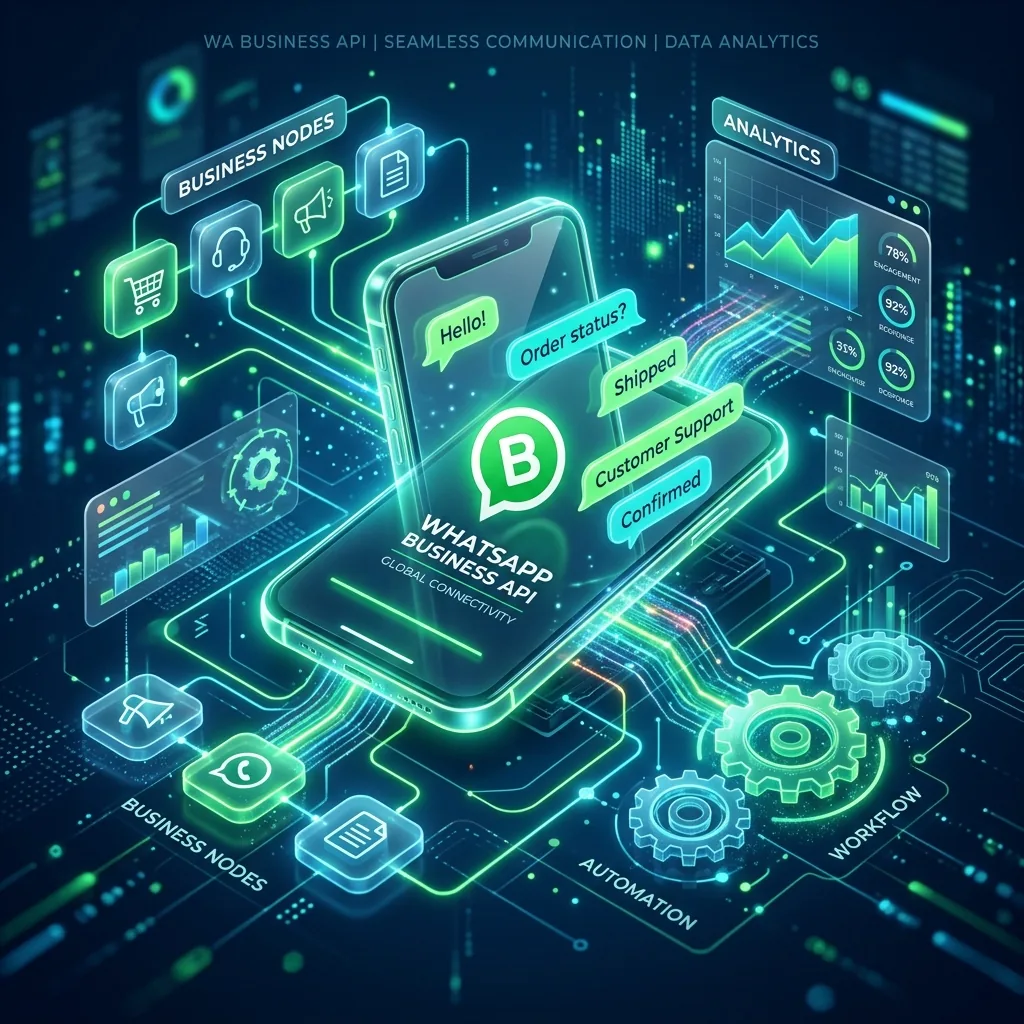
The WhatsApp Business API is entirely different. It does not have an app interface. It is invisible code provided by Meta (the parent company of WhatsApp) that allows professional software to send and receive WhatsApp messages directly. This means you can connect WhatsApp to a team inbox system on your desktop, a customer relationship management (CRM) tool, or advanced AI chatbots that can converse intelligently without human intervention.
Because there is no "app" for the API, you cannot just download it. You have to sign up through an official Business Solution Provider (BSP) or a specialized automation agency that will set up the cloud infrastructure and the front-end software you will use to manage it.
When Do Oman SMEs Outgrow the Standard App?
You have outgrown the standard app if you receive more than 100 messages daily or need multiple staff members answering from different computers.
How do you know it is time to transition? The biggest indicator is the inability to scale your customer service. If you run a retail store in Muscat and run an Instagram ad campaign that suddenly floods your WhatsApp with 300 inquiries about pricing and delivery, a single person on a smartphone simply cannot keep up.
Consider upgrading to the API if you experience the following triggers:
- Team Bottlenecks: You have five customer support agents, but only one physical phone. Passing the phone around or using basic web links is inefficient. The API allows 10, 50, or 100+ agents to log into a single centralized dashboard to answer chats simultaneously.
- Repetitive Questions: You spend hours answering "Where are you located in Salalah?" or "What are your business hours?" While the standard app has quick replies, the API allows you to build a fully automated AI receptionist that handles 80% of routine FAQs instantly, 24/7.
- System Integration: You want WhatsApp to automatically update your inventory system, or you want your CRM to trigger an automatic WhatsApp message when a customer's order is shipped. Only the API supports these programmatic connections.
How Much Does the API Cost in the GCC?
The API is not free. To use the API, you must pay Meta for 24-hour conversation blocks, plus monthly fees to your software provider.
Unlike the free consumer app, Meta monetizes the API by charging businesses per conversation. In the GCC, pricing is typically structured around 24-hour windows. When a customer messages you, a 24-hour "service conversation" window opens. Under the current pricing structure, replying within this window often costs a base rate, while sending out promotional broadcasts outside of the 24-hour window incurs higher fees.
For example, in many regions, a utility or service message might cost around $0.015 per conversation, while marketing messages could cost approximately $0.03 per conversation. A conversation is a 24-hour block, meaning you can send unlimited messages within that specific window for a single flat fee.
In addition to Meta's conversation charges, you must factor in the cost of the software that provides the user interface (the inbox or the AI builder platform). This is usually a flat monthly subscription ranging from $50 to $300+, depending on the features and the number of user seats you require. If an Oman SME spends $100 a month on software and handles 1,000 service conversations at $0.015 each, the total monthly investment would be $115—often drastically cheaper than hiring a full-time human agent just to type replies.
What Are the Restrictions on Sending Messages?
You cannot spam people. To send promotional messages via the API, you must use pre-approved templates and respect strict anti-spam rules.
Meta is highly protective of the WhatsApp user experience. They do not want the platform turning into an email spam folder. If you plan to blast marketing offers to 10,000 numbers you bought from a list, the API will not allow it, and your account will be permanently banned.
To proactively message customers (outside of a 24-hour customer service window), you must use Message Templates. Every template must be submitted to Meta for approval before it can be sent. Meta reviews these to ensure they are not overtly aggressive spam, do not contain prohibited content, and follow formatting rules.
Furthermore, in alignment with data privacy expectations—and the Omani Personal Data Protection Law (PDPL)—you must have explicit, provable opt-in from customers before sending them promotional WhatsApp messages. If too many users hit "Block" or "Report Spam" on your messages, Meta will drastically lower your account's quality rating and temporarily restrict your sending limits, which typically start at 1,000 marketing messages per day for new accounts.
Is the Transition to the API Reversible?
No, it is a one-way street. To switch back to the standard app, you must permanently delete the API connection and lose your chat history.
A critical technical detail that many businesses overlook is phone number portability. You can absolutely use your existing local Omani business number—whether it is a mobile number or a fixed landline—to set up the WhatsApp Business API. This ensures continuity for your customers who already have your number saved.
However, the moment you verify that number for the API, it is immediately disconnected from the standard WhatsApp Business app on your smartphone. You can no longer open the green app and see your chats. All communication must happen through your new API-connected dashboard.
While you can technically downgrade back to the standard app later, the process requires completely deleting your API account. Worse, the chat history accrued on the API cannot be imported back into the smartphone app. It is essential to ensure that your team is fully prepared to adopt a desktop-first or specialized mobile inbox approach before making the leap.
For SMEs in Oman looking to align with Vision 2040’s digital transformation goals, adopting the WhatsApp Business API is often the crucial first step toward true scalability. By removing the bottleneck of a single smartphone and unlocking the power of AI automation, businesses can deliver instant, 24/7 customer support while significantly reducing operational overhead.