
Why Are Clinics in Oman Still Missing 40% of Their Patient Inquiries?
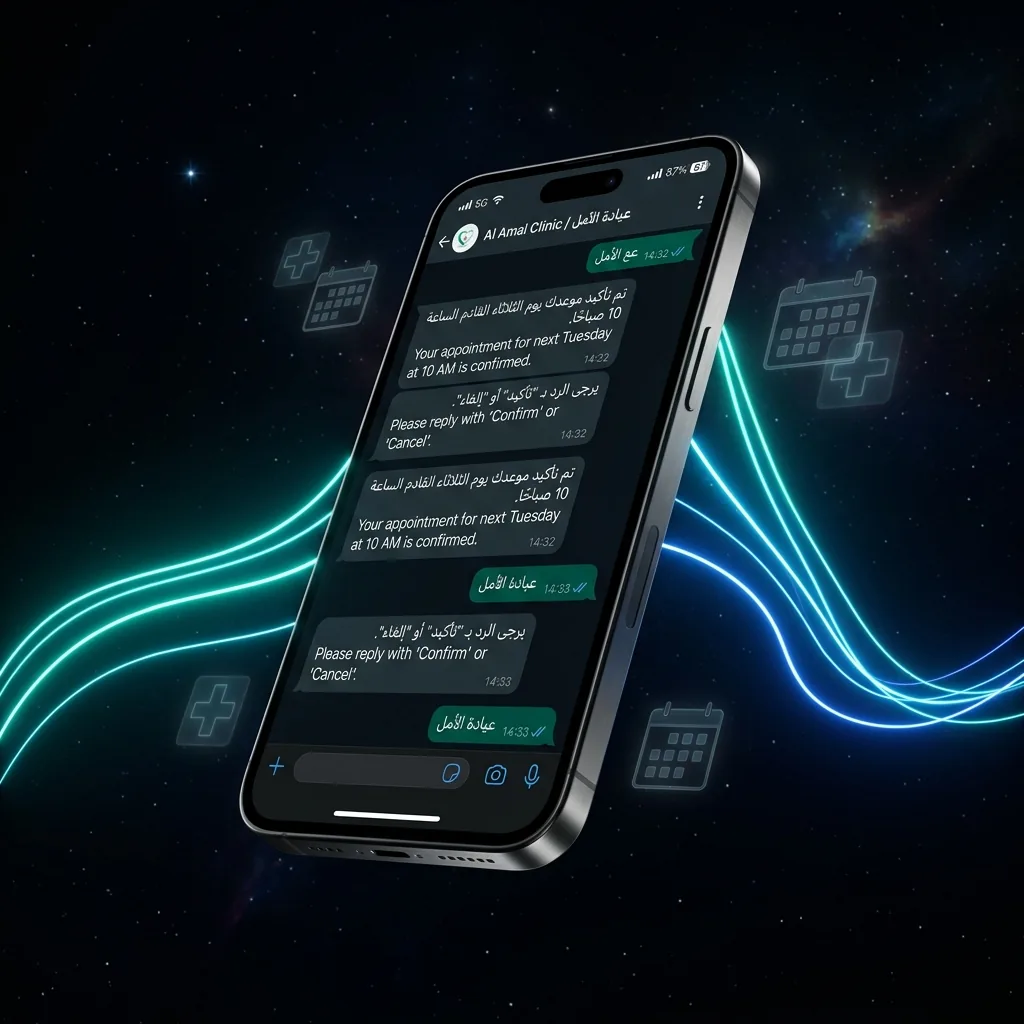
It was a Tuesday afternoon in Muscat. A patient messaged a private clinic on WhatsApp asking for an appointment. By the time the receptionist replied the next morning, the patient had already booked with a competitor. This scenario plays out dozens of times per week across clinics in Oman — and it is entirely preventable.
WhatsApp is the dominant communication channel in Oman, with over 90% of smartphone users actively using it daily according to DataReportal's 2024 Oman Digital Report. For clinics — dental, dermatology, general practice, or specialty — WhatsApp is not optional. It is the front desk. And an unmanned front desk loses patients.
The solution is a WhatsApp Auto-Reply system: an automated message flow that responds to patients instantly, 24/7, without requiring a human to be present. This guide gives you the exact steps to set it up — with zero coding required.
What Is a WhatsApp Auto-Reply and Why Do Clinics Need One?
A WhatsApp Auto-Reply is a pre-configured message (or series of messages) that is sent automatically when a patient contacts your clinic. It serves two core functions: acknowledging the patient immediately and routing their request to the right information or team member.
There are two levels of auto-reply available to clinics in Oman:
| Feature | WhatsApp Business App (Free) | WhatsApp Business API (Paid) |
|---|---|---|
| Greeting Message | ✅ Yes | ✅ Yes |
| Away Message | ✅ Yes | ✅ Yes |
| Interactive Menu (numbered options) | ❌ No | ✅ Yes |
| Multi-agent inbox | ❌ No | ✅ Yes |
| Appointment booking flow | ❌ No | ✅ Yes |
| CRM / Calendar integration | ❌ No | ✅ Yes |
| Monthly cost | Free | $30–$100/month (platform) + Meta fees |
For a small clinic in Muscat handling fewer than 30 inquiries per day, the free WhatsApp Business App is a powerful starting point. For larger clinics managing multiple departments or doctors, the WhatsApp Business API is the professional standard.
Step 1 — Download and Set Up WhatsApp Business App
If your clinic is not yet on the WhatsApp Business App, start here. This is the fastest path to having auto-replies live today.
Download WhatsApp Business
Download WhatsApp Business (not the regular WhatsApp) from the Google Play Store or Apple App Store. Register using your clinic's dedicated phone number — not a personal number.
Complete Your Business Profile
Go to Settings → Business Profile. Add your clinic name, address in Muscat, category (Health/Medical), business hours, website, and a professional description. A complete profile increases trust by 37% according to Meta's Business Insights data.
Set Your Business Hours
Go to Settings → Business Tools → Business Hours. Set your actual clinic operating hours. This powers the Away Message — messages sent outside these hours automatically trigger your after-hours reply.
Step 2 — Set Up a Greeting Message (Instant First Reply)
The Greeting Message fires automatically the first time a patient messages your clinic, or after 14 days of inactivity. This is your digital receptionist's first impression — make it count.
"Hello! 👋 Welcome to Al Noor Clinic, Muscat. We're here to help. Please reply with the number for your query:
1️⃣ Book an Appointment
2️⃣ Test Results
3️⃣ Insurance Queries
4️⃣ Location & Hours
5️⃣ Speak to our team"
How to activate it: Open WhatsApp Business App → tap the three-dot menu (⋮) → Business Tools → Greeting Message → toggle it on → tap the pencil ✏️ icon to edit your message → tap Save.
Step 3 — Activate an Away Message (24/7 Coverage)
An Away Message replies automatically whenever your clinic is outside business hours — covering evenings, weekends, and Eid holidays. Clinics using Away Messages recover up to 62% of after-hours inquiries that would otherwise be lost by the next morning.
"Thank you for reaching out to Al Noor Clinic. 🏥 Our team is currently unavailable.
Our hours are: Sun–Thu 8am–8pm, Sat 9am–2pm.
We will reply first thing during working hours.
For emergencies, please call: +968 XXXX XXXX"
How to activate it: WhatsApp Business App → three-dot menu → Business Tools → Away Message → toggle on → edit the message → set schedule to "Outside of business hours" → Save.
Step 4 — Upgrade to Full Automation with a No-Code Platform (Optional but Recommended)
The steps above give you a solid foundation. For clinics that want to go further — handling appointment bookings, insurance queries, and multi-language flows automatically — you need the WhatsApp Business API connected to a no-code platform.
The most reliable options for Oman clinics in 2026:
| Platform | Best For | Arabic Support | Starting Price |
|---|---|---|---|
| Respond.io | Multi-agent inbox, CRM integration | ✅ Full RTL | $79/month |
| WATI | WhatsApp-native, GCC popular | ✅ Yes | $49/month |
| Tidio | Small clinics, easy setup | ✅ Partial | $29/month |
| Make.com | Calendar / booking system connections | ✅ Via API | $9/month |
These platforms use drag-and-drop flow builders — no coding required. You visually map out the patient conversation: "If patient replies '1' → send appointment booking link → if they confirm → add to Google Calendar → send confirmation message."
Step 5 — PDPL Compliance: What Every Oman Clinic Must Know
Oman's Personal Data Protection Law (PDPL) mandates that any collection or processing of patient personal data — including WhatsApp messages — requires explicit consent. Before deploying any automated WhatsApp flow, your clinic must:
- ✅ Include a consent statement in your Greeting Message
- ✅ Never store patient data on unapproved third-party servers outside Oman
- ✅ Provide a clear opt-out option ("Reply STOP to unsubscribe")
- ✅ Consult with a local legal advisor if handling sensitive medical records
Clinics that handle automated WhatsApp flows in conjunction with PDPL-compliant AI chatbots are setting the gold standard for digital patient experience in Oman.
What Results Can Your Clinic Expect?
Based on data from GCC healthcare providers who have implemented WhatsApp automation, the measurable outcomes are consistent:
| Metric | Before Automation | After Automation |
|---|---|---|
| Average first response time | 4–8 hours | < 30 seconds |
| After-hours inquiry recovery rate | ~22% | ~84% |
| Appointment no-show rate | 28% | 17% (−38%) |
| Receptionist time on routine queries | 3.5 hours/day | 0.8 hours/day |
For a clinic generating 50 bookings per week, reducing no-shows by 38% and recovering after-hours leads translates to an estimated OMR 800–1,500 in additional monthly revenue — without hiring additional staff.
If your clinic is ready to move beyond basic auto-replies and into a fully managed WhatsApp AI receptionist, explore how Muscat clinics are deploying AI receptionists that handle 80% of patient interactions end-to-end.