
Many executives in the GCC region are pouring thousands of Rials into digital transformation, only to be left with disjointed software that creates more manual work than it solves. When integrating artificial intelligence into your daily operations, clarity on deliverables is the difference between a high-ROI asset and an expensive, abandoned dashboard. Understanding exactly what an AI automation build consists of—and crucially, what falls outside of its scope—protects your budget and ensures that the final system directly addresses your operational bottlenecks.
Whether you are operating a logistics firm in Sohar or a real estate agency in Muscat, the shift towards Oman Vision 2040 demands greater efficiency. Automation is not just about writing code; it is about architectural alignment with your business goals. When scoping a project with an agency or an internal team, knowing the standard inclusions prevents scope creep and sets clear expectations for both parties.
What Exactly Is Included in a Standard AI Automation Build?
A standard AI automation build is a custom-engineered software solution that connects your existing tools via APIs, processes data using large language models or machine learning algorithms, and executes predefined actions without manual human intervention.
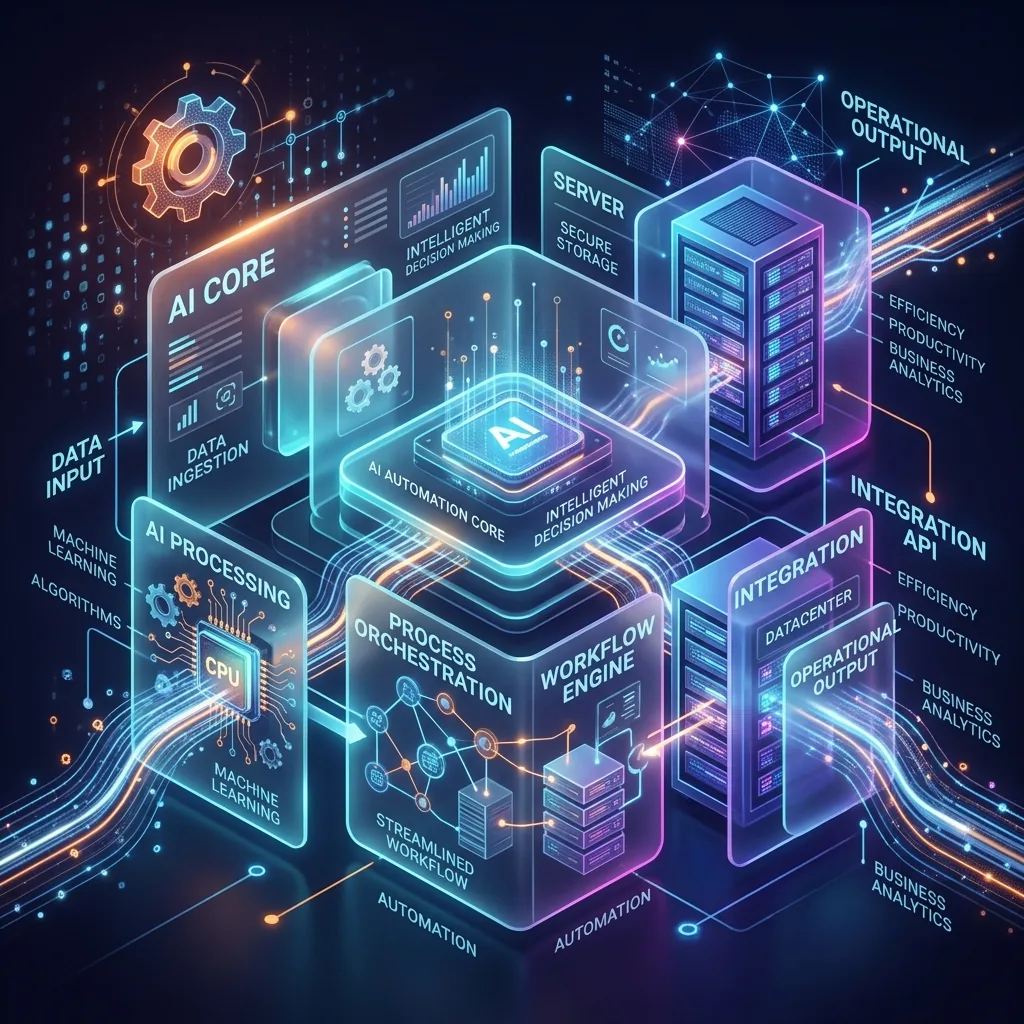
A professional automation build is comprehensive. It is not just a script that runs in the background; it is a fully deployed ecosystem. Here is a detailed breakdown of what you should expect to be included in a high-quality AI automation build:
1. Process Mapping and Workflow Architecture
Before a single line of code is written, a thorough analysis of your current operations is required. This phase involves documenting the manual steps your team takes to complete a task. For example, if you are automating customer onboarding, the build must include a visual flowchart detailing how data moves from a web form, gets analyzed by AI, and is finally pushed to your CRM. This blueprint acts as the foundation for the entire project.
2. API Integrations and Webhooks
The core of automation is connectivity. Your build should include the necessary API integrations to connect disparate systems. If your sales team in Dubai uses Salesforce and your accounting team in Muscat uses Xero, the AI build must bridge the gap. Expect the setup of webhooks, OAuth authentications, and secure data pipelines to ensure that information flows seamlessly across your software stack.
3. Custom AI Prompt Engineering and Logic
This is where the "AI" comes into play. The build must include the specific instructions (prompts) and logical conditions that guide the artificial intelligence. For instance, if you receive 500 customer inquiry emails a day, the AI needs to be engineered to categorize the emails, extract key data points (like order numbers), and determine the sentiment. This requires fine-tuning the parameters so the AI behaves consistently and accurately within the context of your specific industry.
4. Error Handling and Failsafes
No system is flawless. A robust AI automation build includes comprehensive error handling. What happens if an API goes down? What if the AI encounters an unprecedented edge case? The build must include logic to catch these errors and alert a human manager. In many cases, this involves a "human-in-the-loop" interface where uncertain decisions are queued for manual review, ensuring that a simple glitch does not derail your operations and cause a loss of revenue.
5. Deployment and Cloud Hosting Setup
An automation build is not a file sent via email; it must live on a server. Your project should include the deployment of the code to a secure cloud environment (such as AWS, Google Cloud, or a localized GCC server to comply with the Omani PDPL). This ensures the automation runs 24/7 without relying on your local office computers.
6. Standard Operating Procedures (SOPs) and Handover Training
Technology is useless if your team does not know how to use it. A crucial inclusion is documentation. You should receive written SOPs and a recorded training session demonstrating how to monitor the system, how to handle flagged edge cases, and how to interpret the results. This empowers your non-technical staff to manage the day-to-day operations of the new AI system.
What Should NOT Be Included in an AI Automation Build?
To avoid scope creep, you must establish strict boundaries regarding what an AI automation build is not designed to do.
Understanding these exclusions is just as important as knowing the inclusions. Many project failures stem from misaligned expectations about the capabilities and responsibilities of the automation system.
1. Core Software Replacements
An AI automation build connects and enhances your existing tools; it does not replace them. Do not expect the build to include a brand new CRM or a custom ERP system built from scratch. If you currently use HubSpot, the automation will operate around HubSpot. Expecting an automation agency to build a HubSpot competitor as part of the project is a severe misunderstanding of the scope.
2. Ongoing Monthly Maintenance (Without a Retainer)
A build is a one-time project phase. Once the system is deployed and handed over, ongoing maintenance, API updates, and server costs are typically excluded from the initial build fee. Software requires upkeep. If Omantel changes their SMS API, your automation will need an update. This ongoing support is almost always handled via a separate monthly retainer or a pay-per-use service level agreement (SLA).
3. Strategic Business Consulting and Marketing
While an AI build can automate lead qualification, it will not invent your marketing strategy. The system executes logic based on your existing rules. If your sales strategy is flawed, automating it will simply execute a flawed strategy faster. Do not expect the automation engineers to write your sales copy, define your target audience, or run your advertising campaigns. Their job is to build the engine, not to steer the car.
How Can You Ensure a Successful AI Automation Project?
To guarantee a successful AI automation project, you must demand a detailed Scope of Work (SOW) document before development begins, clearly delineating every API connection, AI model used, and expected outcome.
For businesses in the GCC, particularly those aligning with modernization initiatives, efficiency is paramount. By understanding the standard inclusions—process mapping, API integrations, custom AI logic, robust error handling, deployment, and SOPs—you can evaluate proposals effectively. Furthermore, recognizing the exclusions—such as core software replacement and ongoing maintenance—protects you from nasty surprises post-launch.
Consider the financial impact: Automating a customer support workflow can often save a company upwards of 40% in operational hours, translating to thousands of Omani Rials saved annually. However, this ROI is only achievable when the build is scoped correctly and executed with precision. A vague project scope is the enemy of successful digital transformation.
When you sit down with developers or an agency, bring a clear list of the specific, repetitive tasks that are draining your team's time. Focus on the data flow. By defining the exact inputs and the desired outputs, you provide the blueprint for a highly effective, tailored AI automation build that drives real business growth.