

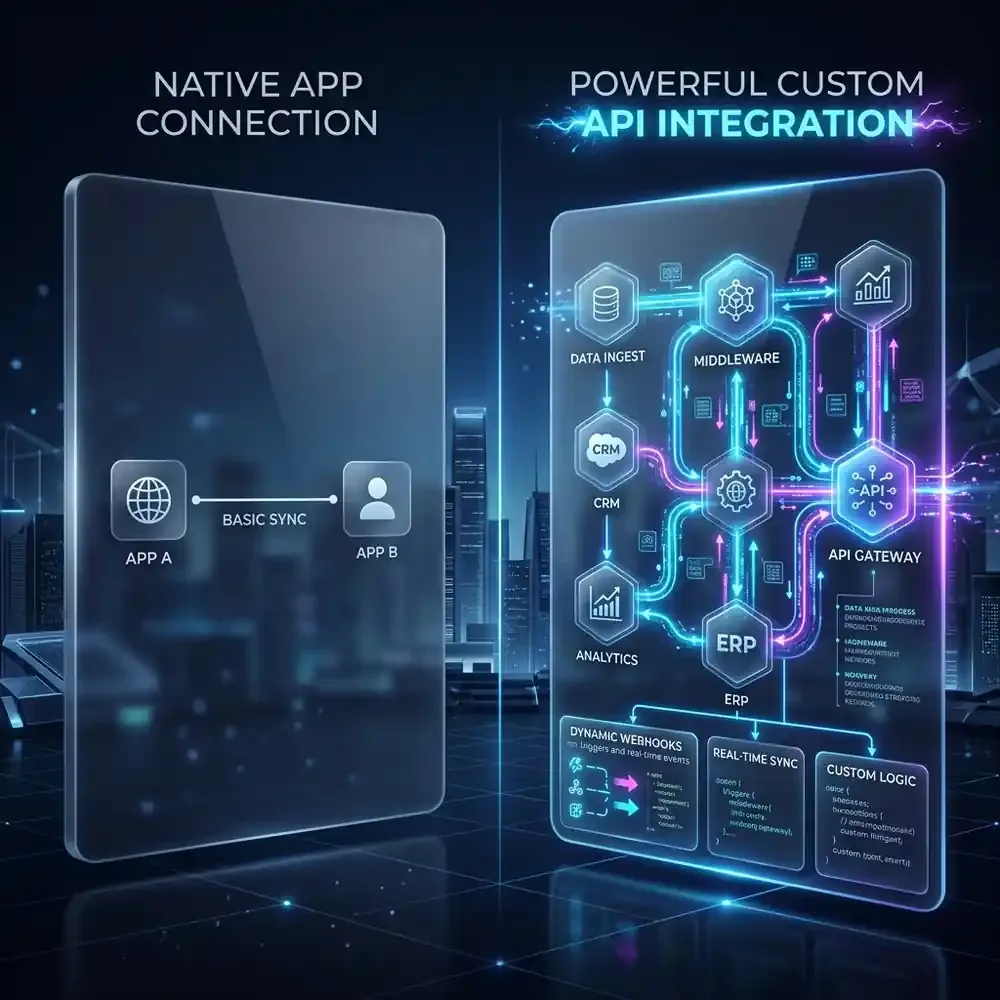
The Illusion of "Click to Connect"
Every modern SaaS product sells the same dream: "Integrates natively with 500+ apps!" You click a toggle, log into your CRM, and suddenly your new marketing tool is sending leads to your sales pipeline. For a company doing 10 transactions a week, it feels like magic.
But ask any Chief Operating Officer what happens when that business scales to 10,000 transactions a week. The "magic" breaks down. The native integration suddenly starts creating duplicate records. It can't map a critical custom field because the vendor didn't program it to. When the API inevitably drops a connection, the native integration silently fails, losing a $50,000 lead into the digital abyss without so much as an error email.
"We relied on a native e-commerce to ERP integration for two years. When we expanded to Europe, we realized the native sync couldn't handle multi-currency logic. It took us weeks to untangle the mess of mismatched accounting data."
This is the fundamental flaw of Native App Connections: they are built by the vendor to satisfy the lowest common denominator of users. If you want to build a resilient, scalable business, you must transition to a Custom API Architecture driven by webhooks and middleware. Here is exactly why.
1. The Power of "Push" over "Pull" (Webhooks vs. Polling)
TL;DR: Native integrations often "poll" (ask) for data every 15 minutes. Custom webhooks "push" data instantly the millisecond an event happens.
Many native integrations rely on a "Polling" architecture. This is the equivalent of a child in the backseat repeatedly asking, "Are we there yet?" Every 15 minutes, App A asks App B, "Do you have any new orders?" If the answer is yes, it pulls the data. This creates massive latency. If a customer places an expedited order, your fulfillment team might not see it for 14 minutes.
A custom architecture utilizes Webhooks. A webhook is an event-driven mechanism. Instead of asking for updates, the system sits quietly. The exact millisecond a customer clicks "Pay," the checkout system fires a webhook payload directly to your server. It is instantaneous, highly efficient, and consumes vastly less computational overhead.
2. Complete Control Over Business Logic
TL;DR: Native integrations force your business to adapt to the software. Custom APIs force the software to adapt to your business.
Let's say a lead fills out a form. A native integration will rigidly push that lead into your CRM. But what if your business logic dictates:
- If the lead is from the US, send to Sales Team A.
- If the lead is international, ping an API to verify their company domain, then send to Sales Team B.
- If they used a free email address (like @gmail.com), do not send to sales; add them to a marketing nurture sequence.
A native integration cannot do this. You are stuck with a 1-to-1 data dump. With a custom API integration built on middleware (like n8n, Make, or custom code), you introduce a "brain" into the center of your architecture. You can write custom Javascript, run conditional routing, and trigger AI to enrich the data before it ever hits your database.
Native vs. Custom API Architecture
| Feature | Native App Connection | Custom API / Webhook Integration |
|---|---|---|
| Data Mapping | Fixed (Vendor defined) | Infinite (You define) |
| Error Handling | Silent failures | Auto-retries & error alerting |
| Latency | High (Polling 5-15 mins) | Zero (Instant Webhooks) |
3. Bulletproof Error Handling and Retries
TL;DR: When a server goes down, native apps lose your data. Custom architectures queue the data and retry later.
Servers crash. APIs go down for maintenance. Rate limits are exceeded. This is the reality of the internet. When a native integration tries to push a record into a CRM that is currently experiencing a 502 Bad Gateway error, it usually throws its hands up, discards the data, and moves on. You will never know that customer record was lost until they complain.
In a custom automation architecture, you build in Error Queues and Exponential Backoff. If the receiving API is down, your custom middleware catches the error. It saves the JSON payload to a database, waits 5 minutes, and tries again. If it fails again, it waits 15 minutes. It will keep trying until the data is safely delivered, ensuring absolutely zero data loss in your pipeline.
4. Avoiding Vendor Lock-In
TL;DR: Tying two apps together directly makes it impossible to replace one. Using an API gateway makes swapping tools seamless.
If you use 15 different native integrations connecting all your apps directly to Salesforce, you have created a spiderweb. If you ever decide to move away from Salesforce to HubSpot, you have to individually log into 15 different apps, tear down the native connections, and rebuild them. It is an IT nightmare.
Custom API architectures utilize the "Hub and Spoke" model. Every app (the spokes) connects via API only to your central middleware (the hub). If you want to replace your CRM, you simply update the API endpoints in your central hub. The 15 peripheral apps never even know the CRM changed. You achieve total technological agility.
The Verdict: Stop Playing with Toys
Native integrations are the training wheels of business automation. They serve a purpose for early-stage startups testing product-market fit. But the moment your operational complexity increases, relying on pre-built, rigid connections becomes a liability. By investing in custom API integrations and webhook-driven architecture, you transition from playing with software toys to engineering a scalable, resilient enterprise machine.